KCD Genava 2025
Summary:
My KCD Geneva 2025 highlights.
This tag is dedicated to the open-source project Sveltos, exploring its features, use cases, and how it enhances Kubernetes cluster management and policy enforcement.
View All TagsSummary:
My KCD Geneva 2025 highlights.
Summary:
This is part 3 of the step-by-step guide to creating Kubernetes managed clusters on Azure Cloud using Cluster API (CAPI) and Sveltos! We will give platform teams and seasonal engineers a simple, secure, and flexible way to build Kubernetes clusters.
Summary:
Sveltos v1.0.0 release introduced a way to manage Kubernetes clusters in restricted network, environments behind a firewall or edge locations. Follow along to understand how the Sveltos Pull Mode works and how it can be deployed.
Summary:
This post picks up where the Flux Operator blog left off, diving deeper to demonstrate the power of Sveltos and Flux for Kubernetes add-on deployment and management. Join the club as we explore what next-level Kubernetes deployments and management look like in action!
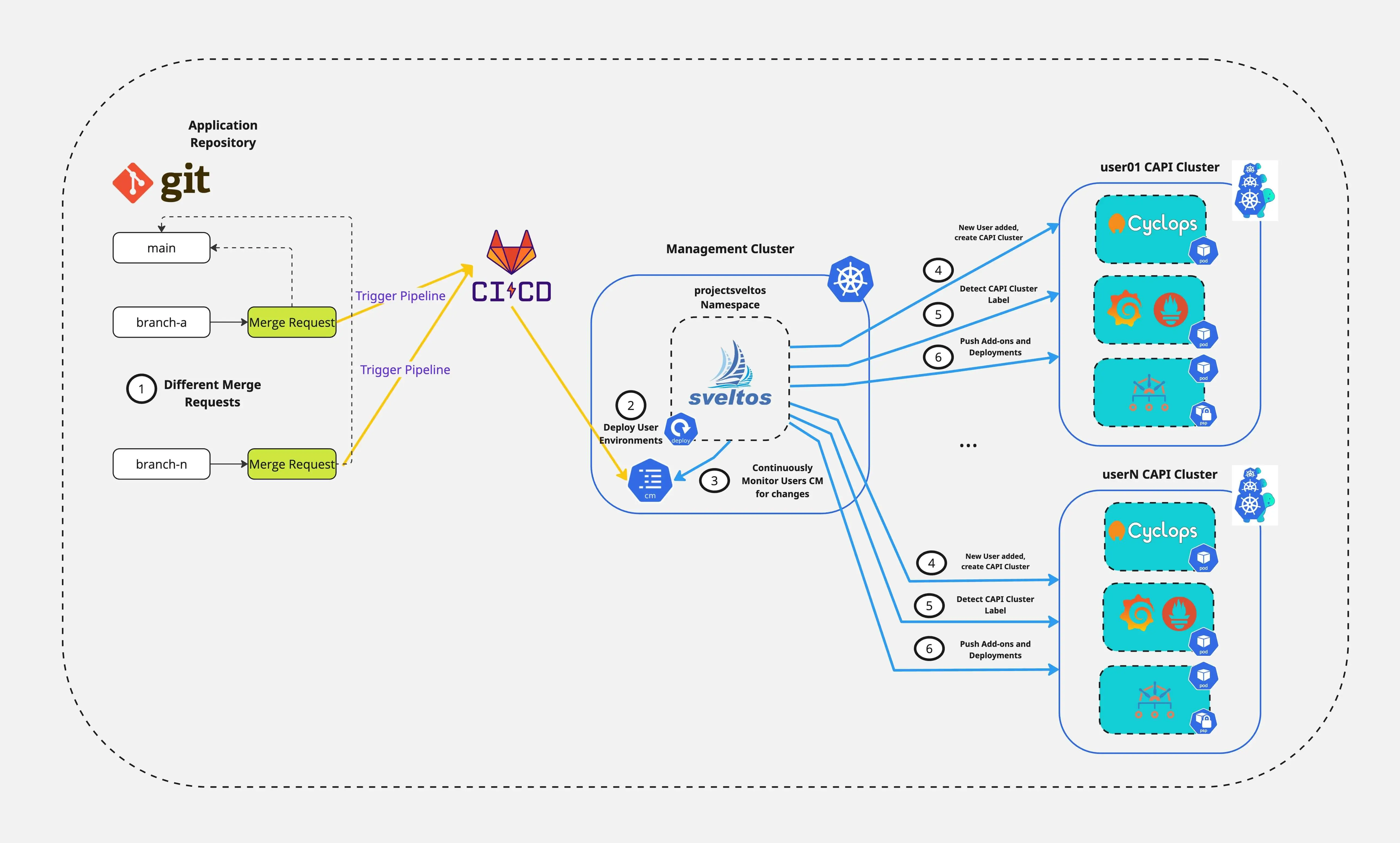
Are you ready to simplify how your Platform team spins up and down development environments while improving DevX? In this post, we show how Cluster API(CAPI), Sveltos, and Cyclops work together. They automatically create Kubernetes environments. This setup lets developers easily interact with and manage their applications. It is not magic, it is the power of Sveltos combined with the right tooling!

In Part 1 of the series, we showed how to install Sveltos on a Kubernetes management cluster. We also deployed Kyverno. After that, we used sveltosctl, the Sveltos Dashboard, and the Grafana Dashboard for observability. In today's post, we will take the next step and talk about the Dry-run feature, how to express a Sveltos ClusterProfile as a template and what the latest templateResourceRefs are.
It is already a year since I started getting more involved with ProjectSveltos. Over the past few months, a lot of work was put into making Sveltos not only more intuitive but also easier to use, all while preserving its core features and functionality.
This post will be split into two parts, with both sections covering the latest updates along with simple deployment examples to help you get started. So, let's dive into the world of Sveltos and explore what's new!
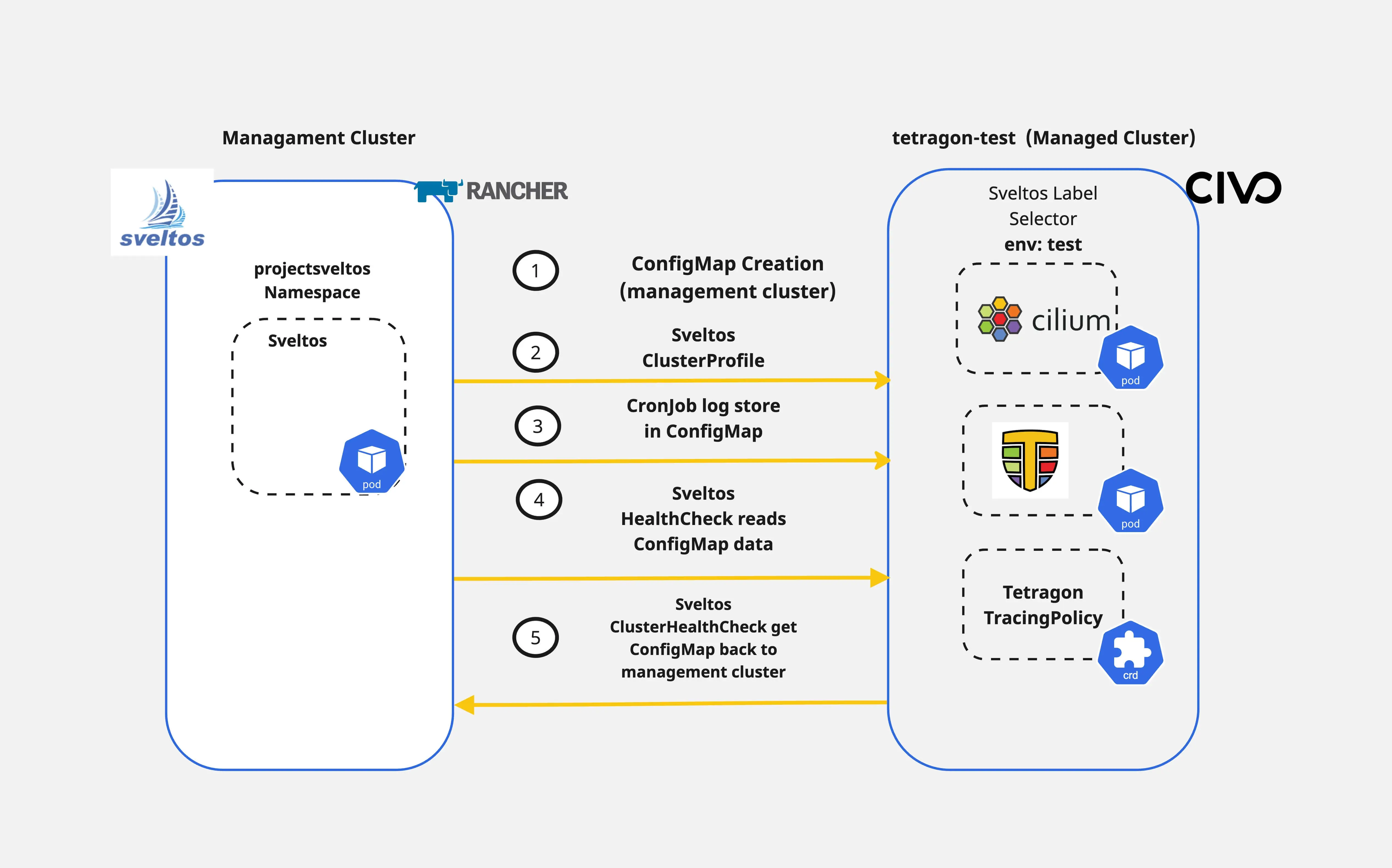
How easy is it to handle Day-2 operations with existing CI/CD tooling? Sveltos provides the ability to perform not only Day-1 operations but also helps platform administrators, tenant administrators and other operators with Day-2 operations. For example, we can use the HealthCheck and the ClusterHealthCheck features to not only watch the health of a cluster but also collect information from the managed clusters and display them in the management cluster.
In today's blog post, we will cover a way of deploying Cilium as our CNI alongside Cilium Tetragon for observability. We will then continue with a simple TracingPolicy deployment to capture socket connections and then use Sveltos to display the tracing results back to the management cluster.
The goal of the demonstration is to showcase how Sveltos can be used for different Kubernetes cluster operations based on the use case at hand.

In previous posts, we outlined how Sveltos allows Platform and tenant administrators to streamline Kubernetes applications and add-on deployments to a fleet of clusters. In today's blog post, we will take a step further and demonstrate how easy it is to target and update a subset of resources targeted by multiple configurations. By multiple configurations, we refer to the Sveltos ClusterProfile or Profile Custom Resource Definitions (CRDs). The demonstration focuses on day-2 operations as we provide a way to update and/or remove resources without affecting production operations.
This functionality is called tiers. Sveltos tiers provide a solution for managing the deployment priority when resources are targeted by multiple configurations. They fit into current ClusterProfile/Profile definitions. They also set the deployment order and easily override behaviour.
Today, we will cover the case of updating the Cilium CNI in a subnet of clusters with the label set to tier:zone2 without affecting the monitoring capabilities defined in the same ClusterProfile/Profile.
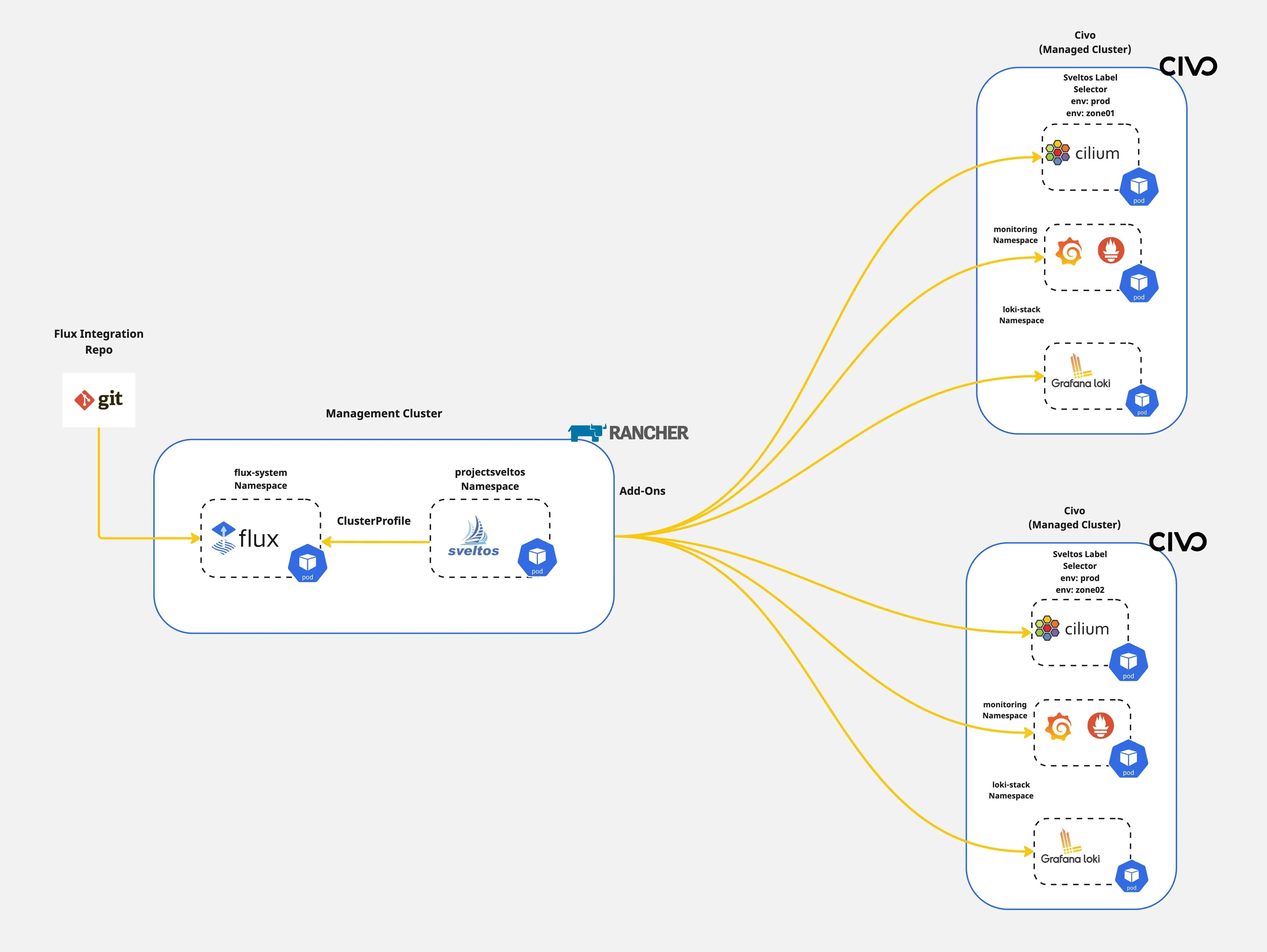

Have you ever wondered how to dynamically instantiate Kubernetes resources before deploying them to a cluster? What if I tell you there is an easy way to do it? Sveltos lets you define add-ons and applications using templates. Before deploying any resource down the managed clusters, Sveltos instantiates the templates using information gathered from the management cluster.
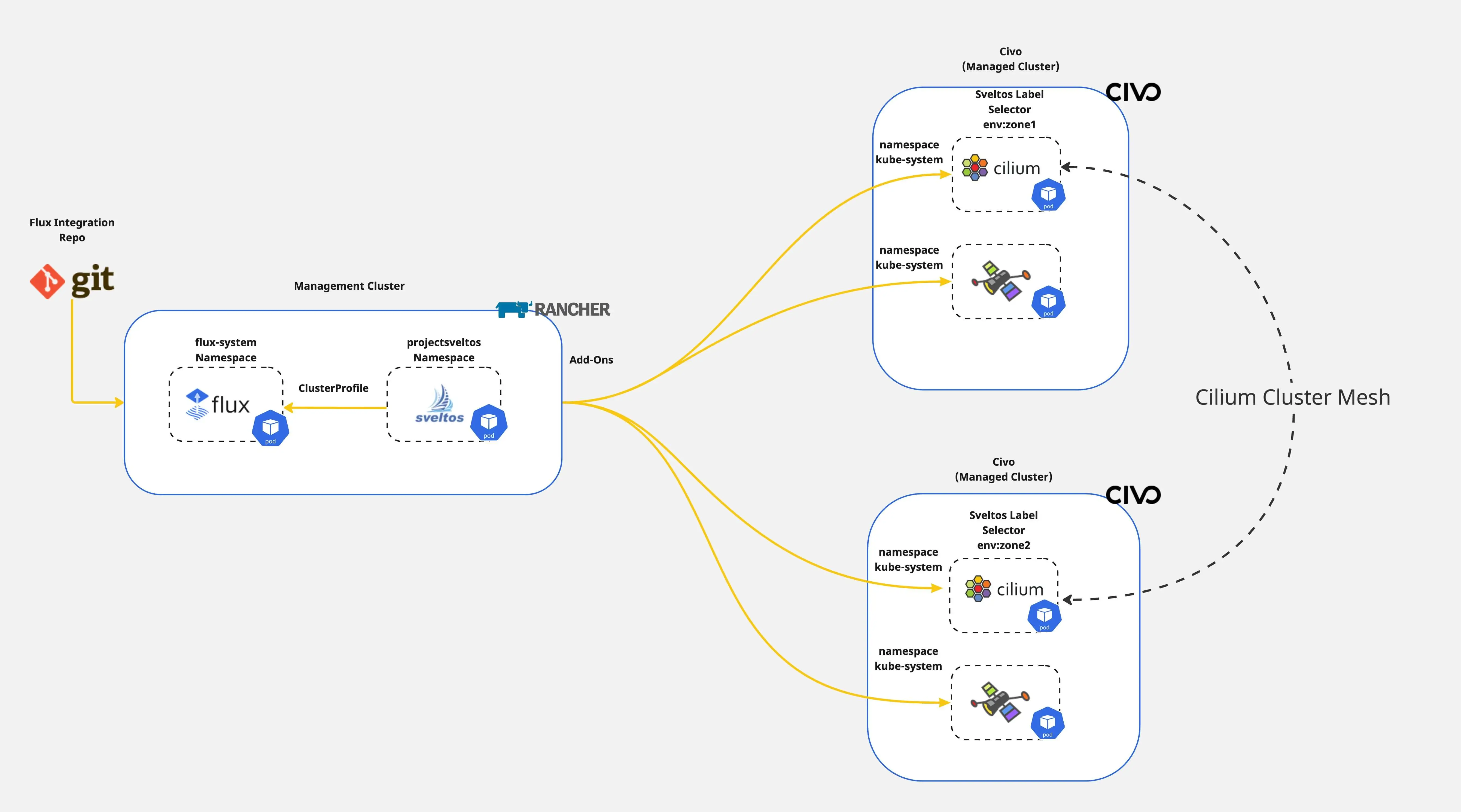
In a previous post, we outlined a step-by-step approach to forming a Cilium cluster mesh between two clusters. In today's post, we will demonstrate how the Sveltos templating is used to deploy a Cilium cluster mesh dynamically in one go.

In today's blog post, we will demonstrate an easy way of deploying and controlling Cilium on an EKS cluster with Sveltos.
Most documentation shows step-by-step installation using Helm chart commands. So, we chose to show a different way: the GitOps approach. We will use the Sveltos ClusterProfile CRD (Custom Resource Definition) for this.